 PictureTextEditor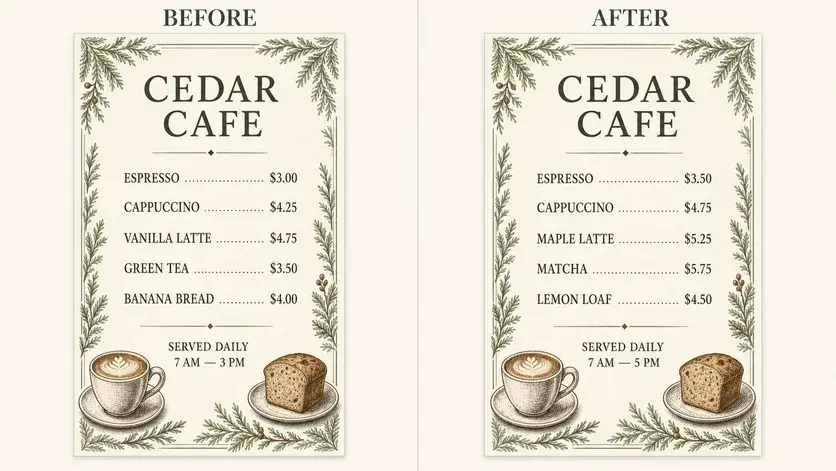
STARTING PROMPT
On this menu, change the price beside "[item one]" from "[old price]" to "[new price]". Change "[item two]" to "[new item name]". Preserve all other prices, descriptions, currency symbols, alignment, and background details.
Use an item-by-item list
Provide the final approved price for each item. Include the currency symbol and decimal format instead of asking the image editor to calculate values.
Check the whole menu
Zoom in on item descriptions, dietary notes, and neighboring prices. If many rows need updates, make smaller batches and verify one result before continuing.
Review checklist
- Each new price is attached to the correct item.
- Currency symbols and decimals are consistent.
- Unchanged descriptions and dietary notes remain accurate.
Frequently asked questions
Can the editor calculate new prices?
Provide the final numbers in your prompt. This workflow changes the image; it is not a pricing calculator.