 PictureTextEditor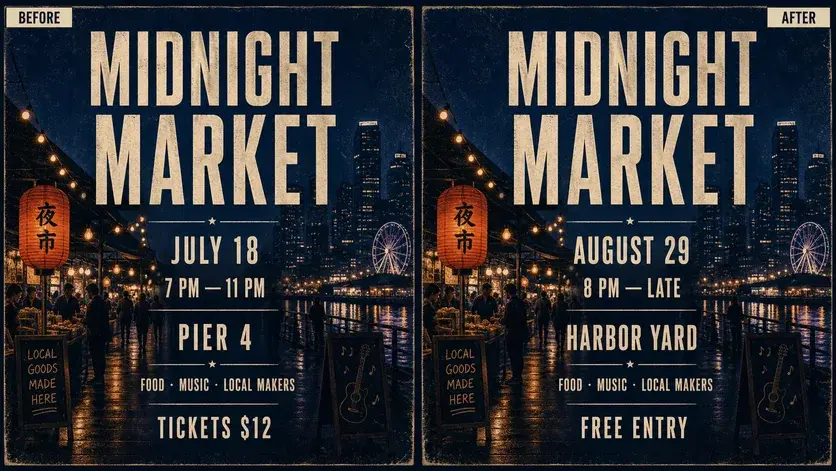
STARTING PROMPT
In this event poster, replace "[old date]" with "[new date]", change the venue to "[new venue]", and update the entry line to "[new entry text]". Keep the event headline, illustrations, and layout unchanged.
Specify every date detail
Include the year and time if they appear. Check whether the weekday still matches the new calendar date, and say whether repeated dates elsewhere on the poster should change too.
Preserve the poster identity
Tell the editor to keep the event name, color treatment, artwork, sponsor marks, and other unrelated wording. Review both the edited text and the entire composition afterward.
Review checklist
- Date, year, and weekday agree.
- Venue and admission details match the approved copy.
- Unrelated names and branding remain intact.
Frequently asked questions
Can I keep the original poster dimensions?
Ask to preserve the original crop and canvas size, then check the downloaded file dimensions before printing.