
Headlines and calls to action
Describe the intended wording and preserve the parts of the image that already work.
AI IMAGE TEXT REPLACEMENT
Replace the wording inside a finished image without searching for the original layered design file.
Edit image textUpload a JPG, PNG, or WebP. Describe the exact text change.
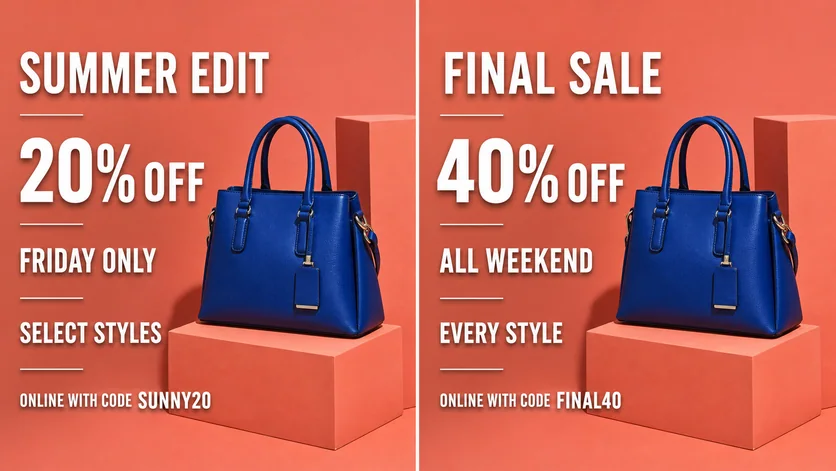
WHAT YOU CAN UPDATE
Use the finished image as context, make the requested copy change, then review the visual result before publishing.
Describe the intended wording and preserve the parts of the image that already work.
Describe the intended wording and preserve the parts of the image that already work.
Describe the intended wording and preserve the parts of the image that already work.
ABOUT THIS IMAGE EDIT
When text is flattened into a JPG, PNG, or WebP, a conventional text tool cannot simply select the words. Vismuse uses the whole image as context while you describe the desired replacement.
Clear instructions improve review: quote the old text, quote the new text, identify the location, and state which parts of the image must remain unchanged.
Open the image text editorHOW IT WORKS
The editor uses your image and instruction as context. You stay in the conversation until the result is ready.
Start with a JPG, PNG, or WebP poster, photo, menu, screenshot, product visual, or AI-generated graphic.
Say exactly what to replace, remove, or add—and explain what should stay visually unchanged.
Check the result, ask for follow-up changes in the same chat, then download the version you approve.
Review before publishing. Review critical spelling, numbers, names, and brand details before using the revised image.
COMMON QUESTIONS
Upload the image, quote the text to replace, provide the exact new wording, and describe what should remain unchanged.
No. You can begin with a flattened JPG, PNG, or WebP image.
Yes. Continue the same chat with a precise follow-up instruction.
No. Do not alter IDs, financial records, receipts, certificates, messages, or other evidentiary content.
MAKE THE EDIT
Open the editor here, upload your visual, and describe the exact result you want.