
Photopea: direct browser controls
Describe the intended wording and preserve the parts of the image that already work.
BROWSER EDITOR COMPARISON
Compare direct browser-based editing with a conversational workflow for finished images.
Edit image textUpload a JPG, PNG, or WebP. Describe the exact text change.
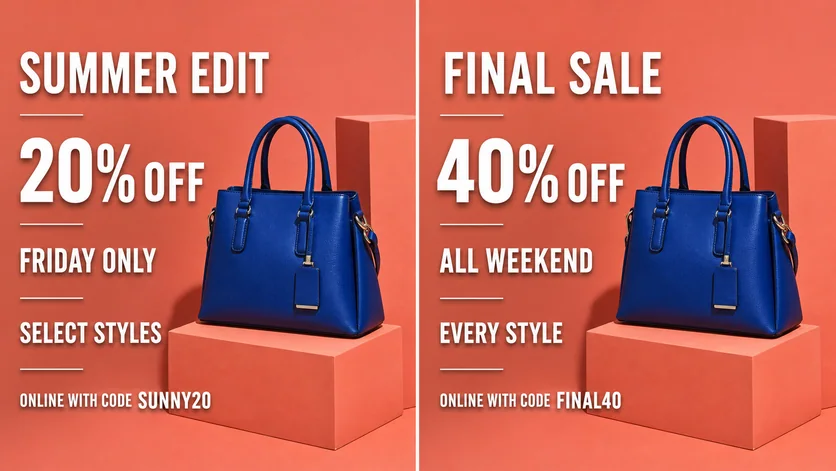
WHAT YOU CAN UPDATE
Use the finished image as context, make the requested copy change, then review the visual result before publishing.
Describe the intended wording and preserve the parts of the image that already work.
Describe the intended wording and preserve the parts of the image that already work.
Describe the intended wording and preserve the parts of the image that already work.
ABOUT THIS IMAGE EDIT
Photopea provides familiar layer, selection, masking, and type tools in a browser. Vismuse lets you upload an image and describe the change you want through chat.
Photopea suits hands-on editing and compatible source files. Vismuse suits quick outcome-driven edits when the source is flattened or the user prefers instructions over manual tools.
Open the image text editorHOW IT WORKS
The editor uses your image and instruction as context. You stay in the conversation until the result is ready.
Start with a JPG, PNG, or WebP poster, photo, menu, screenshot, product visual, or AI-generated graphic.
Say exactly what to replace, remove, or add—and explain what should stay visually unchanged.
Check the result, ask for follow-up changes in the same chat, then download the version you approve.
Review before publishing. Photopea is a trademark of its respective owner. PictureTextEditor is not affiliated with or endorsed by Photopea.
COMMON QUESTIONS
Photopea exposes manual editing tools; Vismuse accepts natural-language instructions and returns a revised image.
A layer editor is usually the direct choice when a well-structured source file and exact fonts are available.
Conversational AI can be convenient for a quick contained edit, while manual retouching offers more control for complex work.
Yes. Check typography, edges, consistency, spelling, and final output dimensions regardless of workflow.
MAKE THE EDIT
Open the editor here, upload your visual, and describe the exact result you want.