
Feature callouts
Describe the intended wording and preserve the parts of the image that already work.
PRODUCT PHOTO TEXT EDITING
Revise visible product copy or surrounding benefit callouts while protecting the product’s visual identity.
Edit image textUpload a JPG, PNG, or WebP. Describe the exact text change.
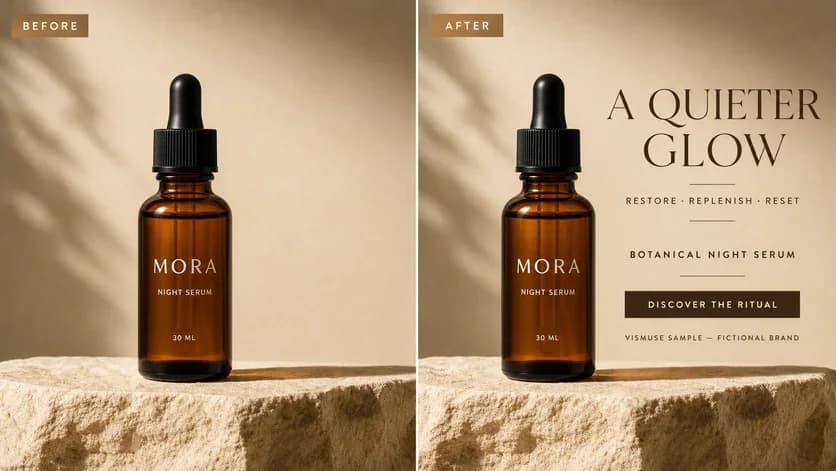
WHAT YOU CAN UPDATE
Use the finished image as context, make the requested copy change, then review the visual result before publishing.
Describe the intended wording and preserve the parts of the image that already work.
Describe the intended wording and preserve the parts of the image that already work.
Describe the intended wording and preserve the parts of the image that already work.
ABOUT THIS IMAGE EDIT
Use a product photo text edit for concepting, corrected marketing visuals, or localized callouts when the original layered file is unavailable.
Do not treat generated packaging text as production artwork. Ingredients, warnings, quantities, certifications, and regulated claims require controlled review.
Open the image text editorHOW IT WORKS
The editor uses your image and instruction as context. You stay in the conversation until the result is ready.
Start with a JPG, PNG, or WebP poster, photo, menu, screenshot, product visual, or AI-generated graphic.
Say exactly what to replace, remove, or add—and explain what should stay visually unchanged.
Check the result, ask for follow-up changes in the same chat, then download the version you approve.
Review before publishing. For production packaging, rebuild approved content in the controlled source artwork after the concept is selected.
COMMON QUESTIONS
Often, yes. Identify the exact label area and describe the final wording and surface treatment.
Yes. Specify the copy, approximate location, hierarchy, and what parts of the product must stay visible.
The photo supplies context, but complex surfaces vary. Inspect perspective, seams, highlights, and letter edges.
No. Production packaging needs controlled files, regulatory review, accurate color, and print-ready construction.
MAKE THE EDIT
Open the editor here, upload your visual, and describe the exact result you want.